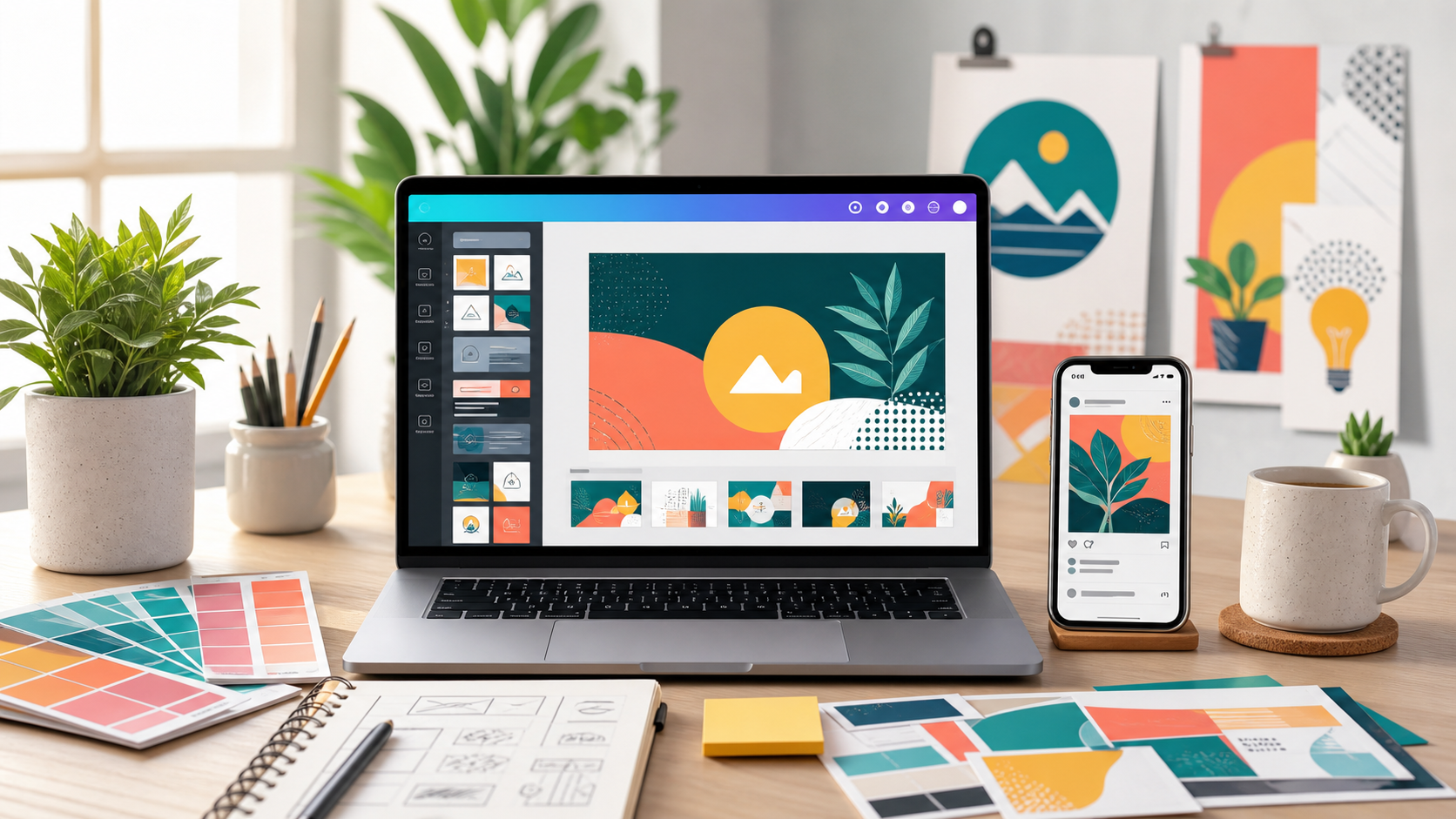
ನಿಮ್ಮ businessಗೆ festival offer poster ಬೇಕು. YouTube videoಗೆ thumbnail ಬೇಕು. College presentationಗೆ neat slides ಬೇಕು. ಪ್ರತಿ ಬಾರಿ designerಗೆ brief ಕೊಡಲು ಸಮಯ ಇಲ್ಲದಿದ್ದರೆ Canva ಒಂದು ತುಂಬಾ practical tool.
Canva ಈಗ simple template editor ಮಾತ್ರವಲ್ಲ. Canva AI, Magic Design, Magic Media, Magic Write, resize ಮತ್ತು editing tools ಮೂಲಕ ideaದಿಂದ final designವರೆಗೆ ಹಲವು ಕೆಲಸಗಳನ್ನು ವೇಗವಾಗಿ ಮಾಡಬಹುದು. ಈ ಲೇಖನದಲ್ಲಿ Kannada creators, students, teachers, freelancers ಮತ್ತು small business owners Canva AI ಅನ್ನು ಹೇಗೆ ಬಳಸಬಹುದು ಎಂದು ಸರಳವಾಗಿ ನೋಡೋಣ.
ಒಂದು ನಿಮಿಷದಲ್ಲಿ ತಿಳಿಯಿರಿ
Canva AI ಅಂದರೆ design idea, text, image, presentation ಮತ್ತು social media content ರಚನೆಗೆ ಸಹಾಯ ಮಾಡುವ Canva ಒಳಗಿನ AI-powered tools.
ಮುಖ್ಯ use cases: Instagram posts, YouTube thumbnails, posters, business flyers, presentations, resumes, ad creatives ಮತ್ತು brand templates.
ಮುಖ್ಯ ಎಚ್ಚರಿಕೆ: AI limits, premium content, commercial rights ಮತ್ತು pricing ಬದಲಾಗಬಹುದು. Client workಗೆ ಬಳಸುವ ಮೊದಲು Canva official terms ಪರಿಶೀಲಿಸಿ.
Canva AI Design Kannada: ವಿಷಯದ ಸರಳ ಅರ್ಥ
Canva ಒಂದು online design platform. Templates, photos, icons, fonts, videos ಮತ್ತು drag-and-drop editor ಬಳಸಿ design ಮಾಡಬಹುದು. Canva AI tools ಇದಕ್ಕೆ ಇನ್ನಷ್ಟು speed ಕೊಡುತ್ತವೆ.
ಸರಳವಾಗಿ ಹೇಳುವುದಾದರೆ, ನೀವು “Kannada bakeryಗೆ festival offer Instagram post ಬೇಕು” ಎಂದು idea ಕೊಡುತ್ತೀರಿ. Canva ಅದಕ್ಕೆ layout, visual direction, copy ideas ಅಥವಾ image suggestions ಕೊಡಲು ಸಹಾಯ ಮಾಡಬಹುದು. ನಂತರ ನೀವು colors, Kannada text, photos ಮತ್ತು brand details edit ಮಾಡಿ final design ಮಾಡುತ್ತೀರಿ.
ಇಲ್ಲಿ ಮುಖ್ಯ ವಿಷಯ: AI design complete ಅಂತ ನಂಬಿ ನೇರವಾಗಿ publish ಮಾಡಬೇಡಿ. Canva ನಿಮಗೆ draft ಕೊಡುತ್ತದೆ; final quality ನಿಮ್ಮ editing, font choice, spacing, brand fit ಮತ್ತು proofreading ಮೇಲೆ ಅವಲಂಬಿತ.
ಪ್ರಮುಖ Canva AI features
Canva official AI pagesನಲ್ಲಿ Canva AI, Magic Design, AI-powered elements, Magic Media ಮತ್ತು conversational design assistance ಬಗ್ಗೆ ಹೇಳಿದೆ. Feature names ಮತ್ತು availability ಕಾಲಕಾಲಕ್ಕೆ ಬದಲಾಗಬಹುದು, ಆದ್ದರಿಂದ latest UI ನೋಡುತ್ತಾ follow ಮಾಡುವುದು ಉತ್ತಮ.
Magic Design
Text ಅಥವಾ media ಆಧರಿಸಿ design templates generate ಮಾಡಲು ಸಹಾಯ ಮಾಡುತ್ತದೆ. Poster, social post ಅಥವಾ presentationಗೆ first draft ಬೇಕಾದಾಗ ಉಪಯುಕ್ತ.
Magic Media ಮತ್ತು Text to Image
Prompt ಮೂಲಕ images ಅಥವಾ visuals generate ಮಾಡಲು ಬಳಸಬಹುದು. Blog thumbnails, ad concepts ಮತ್ತು presentation visualsಗೆ helpful. ಆದರೆ real brand logo, copyrighted character ಅಥವಾ sensitive visuals prompt ಮಾಡುವುದು ತಪ್ಪಿಸಿ.
Magic Write
Caption, ad copy, presentation bullet points, product description, short bio ಮತ್ತು content ideas ಬರೆಯಲು ಸಹಾಯ ಮಾಡಬಹುದು. Kannada textಗೆ output ಪರಿಶೀಲಿಸಿ, ಅಗತ್ಯವಿದ್ದರೆ rewrite ಮಾಡಿ.
Resize, Magic Switch ಮತ್ತು brand tools
ಒಂದು design ಅನ್ನು Instagram post, story, poster, presentation slide ಅಥವಾ flyer formatಗೆ adapt ಮಾಡಲು ಉಪಯುಕ್ತ. Brand colors, fonts ಮತ್ತು logo assets save ಮಾಡಿದರೆ consistency ಕಾಪಾಡಬಹುದು.
ಯಾರಿಗೆ ಉಪಯುಕ್ತ?
Canva AI professional designersಗೆ ಮಾತ್ರ ಅಲ್ಲ. Design sense basic ಆಗಿದ್ದರೂ clear prompt ಮತ್ತು templates ಬಳಸಿ neat output ತಯಾರಿಸಬಹುದು.
Small Business Owners
Shop offers, restaurant menu updates, coaching class posters, boutique catalog posts, real estate flyers ಮತ್ತು WhatsApp share creativesಗೆ Canva ತುಂಬಾ practical.
Kannada Content Creators
YouTube thumbnail, Instagram carousel, reels cover, podcast cover, blog image ಮತ್ತು channel banner ಮಾಡಲು useful. Kannada text readabilityಗೆ font ಮತ್ತು spacing ಜಾಗ್ರತೆ ಬೇಕು.
Students ಮತ್ತು Teachers
Presentations, assignments, infographics, classroom posters, certificates ಮತ್ತು project reportsಗೆ Canva quick start ಕೊಡುತ್ತದೆ.
Freelancers ಮತ್ತು Marketers
Client content calendars, campaign mockups, ad variations, brand kits ಮತ್ತು social media templates ಮಾಡಲು Canva workflow time save ಮಾಡಬಹುದು.
Canva AI ಅನ್ನು ಹೇಗೆ ಬಳಸುವುದು?
- Canva accountಗೆ sign in ಮಾಡಿ. Free ಅಥವಾ paid plan features ನಿಮ್ಮ accountನಲ್ಲಿ ಯಾವುದು available ಇದೆ ನೋಡಿ.
- Design type ಆಯ್ಕೆ ಮಾಡಿ: Instagram Post, YouTube Thumbnail, Presentation, Poster, Flyer ಅಥವಾ Logo draft.
- Template search ಮಾಡಿ ಅಥವಾ Canva AI/Magic Design prompt box ಬಳಸಿ.
- Promptನಲ್ಲಿ audience, purpose, style, color, text ಮತ್ತು size ಹೇಳಿ.
- Output ಬಂದ ನಂತರ Kannada text ಸರಿಪಡಿಸಿ. ತಪ್ಪಾದ spelling, awkward translation ಮತ್ತು line breaks ನೋಡಿರಿ.
- Brand colors, logo, phone number, website ಮತ್ತು CTA ಸೇರಿಸಿ.
- Mobile preview ನೋಡಿ. Small text ಓದಲು ಆಗುತ್ತದೆಯೇ ಎಂದು ಪರಿಶೀಲಿಸಿ.
- Download ಮಾಡುವ ಮೊದಲು premium elements, Pro content, AI limits ಮತ್ತು commercial-use terms ಗಮನಿಸಿ.
ನೈಜ ಜೀವನದ ಉದಾಹರಣೆಗಳು
1. Local Bakery Instagram Post
ಒಂದು bakeryಗೆ weekend offer post ಬೇಕು. Promptನಲ್ಲಿ “warm festive bakery Instagram post, Kannada offer text space, cake photo area, clean layout” ಎಂದು ಹೇಳಬಹುದು. Canva draft ನಂತರ price, location ಮತ್ತು WhatsApp number edit ಮಾಡಬಹುದು.
2. Kannada YouTube Thumbnail
AI tools tutorial videoಗೆ thumbnail ಬೇಕು. Promptನಲ್ಲಿ “bold YouTube thumbnail, Kannada headline space, tech colors, laptop visual, surprised but clean style” ಎಂದು direction ಕೊಡಬಹುದು. Finalನಲ್ಲಿ text 3-5 wordsಗೆ ಮಾತ್ರ ಇಡಿ.
3. Teacher Presentation
Science lesson presentationಗೆ neat slides ಬೇಕಾದರೆ “class 8 science presentation, simple diagrams, clear headings, minimal colors” ಎಂದು start ಮಾಡಬಹುದು. ನಂತರ facts manually verify ಮಾಡಬೇಕು.
ಪ್ರಮುಖ ಪ್ರಯೋಜನಗಳು
- Design blank page ಭಯ ಕಡಿಮೆಯಾಗುತ್ತದೆ.
- Templates ಮತ್ತು AI suggestions ವೇಗವಾಗಿ first draft ಕೊಡುತ್ತವೆ.
- Social media sizes, posters ಮತ್ತು presentations ಒಂದೇ placeನಲ್ಲಿ ಮಾಡಬಹುದು.
- Brand kit ಬಳಸಿ colors, fonts ಮತ್ತು logos consistent ಆಗಿರಬಹುದು.
- Small business owners designer brief ಇಲ್ಲದೇ quick creatives test ಮಾಡಬಹುದು.
- Students ಮತ್ತು teachers visual presentations ಸುಲಭವಾಗಿ ಮಾಡಬಹುದು.
ಮಿತಿಗಳು ಮತ್ತು ಅಪಾಯಗಳು
Canva AI helpful ಆಗಿದ್ದರೂ final design quality, legal safety ಮತ್ತು brand trust ಸಂಪೂರ್ಣವಾಗಿ AI ಮೇಲೆ ಬಿಡಬಾರದು.
- AI usage limits, credits, rate limits ಮತ್ತು feature access account plan ಪ್ರಕಾರ ಬದಲಾಗಬಹುದು.
- Premium templates, stock photos ಅಥವಾ Pro elements ಬಳಸಿದರೆ license rules ಗಮನಿಸಬೇಕು.
- Canva Education content commercial useಗೆ ಬೇರೆ restrictions ಇರಬಹುದು.
- AI-generated imageಗಳಲ್ಲಿ factual ತಪ್ಪು, odd details ಅಥವಾ unreadable text ಬರಬಹುದು.
- Famous brand logos, celebrities, copyrighted characters ಅಥವಾ competitor marks prompt ಮಾಡುವುದು risky.
- Kannada font rendering ಕೆಲವು designsನಲ್ಲಿ perfect ಆಗದೇ ಇರಬಹುದು; export preview ಪರಿಶೀಲಿಸಿ.
ಸುರಕ್ಷಿತವಾಗಿ ಬಳಸುವ ವಿಧಾನ
Canva AI ಅನ್ನು safely ಬಳಸಲು generic creative direction ಕೊಡಿ; copyrighted design copy ಮಾಡಬೇಡಿ. Official licensing pages ಓದಿ, ವಿಶೇಷವಾಗಿ client ಅಥವಾ paid campaignಗೆ design ಬಳಸುವಾಗ.
- “Nike style poster” ಬದಲು “bold sports poster with energetic typography” ಎಂದು ಬರೆಯಿರಿ.
- “Disney character” ಬದಲು “friendly cartoon-style mascot” ಎಂದು ಬರೆಯಿರಿ.
- Premium element ಬಳಿಸಿದರೆ license info check ಮಾಡಿ.
- AI image final ಮಾಡುವ ಮೊದಲು details, hands, text ಮತ್ತು background artifacts zoom ಮಾಡಿ ನೋಡಿ.
- Clientಗೆ final ಕಳುಹಿಸುವ ಮೊದಲು design source, plan ಮತ್ತು asset license ಬಗ್ಗೆ note ಇಟ್ಟುಕೊಳ್ಳಿ.
ಸಾಮಾನ್ಯವಾಗಿ ಮಾಡುವ ತಪ್ಪುಗಳು
- Promptನಲ್ಲಿ audience ಮತ್ತು purpose ಹೇಳದೇ design ಕೇಳುವುದು.
- ಒಂದು posterನಲ್ಲಿ ತುಂಬಾ text ತುಂಬುವುದು.
- Kannada headlineಗೆ small font ಬಳಸುವುದು.
- Brand colors ಇಲ್ಲದೇ ಪ್ರತಿ postಗೆ ಬೇರೆ ಬೇರೆ style ಮಾಡುವುದು.
- AI-generated imageನಲ್ಲಿ ತಪ್ಪಾದ details ನೋಡದೇ publish ಮಾಡುವುದು.
- Premium content license ಓದದೇ client workಗೆ ಬಳಸುವುದು.
- Mobile preview ನೋಡದೇ Instagram ಅಥವಾ WhatsAppಗೆ share ಮಾಡುವುದು.
ತಕ್ಷಣ ಬಳಸಬಹುದಾದ Sample Prompts
Prompt 1: Small Business Instagram Post
Create an Instagram post design for a Kannada bakery weekend offer. Warm festive colors, clean product photo area, bold Kannada headline space, price badge, WhatsApp call-to-action, modern but friendly layout.ಈ Prompt ಅನ್ನು Copy ಮಾಡಿ
Prompt 2: YouTube Thumbnail
Create a YouTube thumbnail for a Kannada AI tutorial video. Bold readable headline area, laptop and design tool visual, teal and yellow accents, high contrast, clean background, space for 3 Kannada words.ಈ Prompt ಅನ್ನು Copy ಮಾಡಿ
Prompt 3: Presentation Slides
Create a 6-slide presentation template for a Kannada classroom lesson. Simple headings, clear diagram placeholders, calm colors, large readable text, minimal decoration, student-friendly layout.ಈ Prompt ಅನ್ನು Copy ಮಾಡಿ
Prompt 4: Festival Offer Poster
Create a vertical festival offer poster for a local Kannada clothing store. Elegant saree photo area, festive but clean design, discount badge, store address area, WhatsApp CTA, gold and teal accents.ಈ Prompt ಅನ್ನು Copy ಮಾಡಿ
Tested by Us
ಪ್ರಾಯೋಗಿಕವಾಗಿ ಪರೀಕ್ಷಿಸಿದ ನಂತರ ಈ ವಿಭಾಗವನ್ನು update ಮಾಡಿ. ಖಚಿತವಾಗಿ ಪರೀಕ್ಷಿಸದ result ಬಗ್ಗೆ ಊಹಿಸಿ ಹೇಳುವುದು ಸರಿಯಲ್ಲ.
- ಪರೀಕ್ಷಿಸಬೇಕಾದ Prompt: Kannada bakery Instagram post prompt.
- ಗಮನಿಸಬೇಕಾದ Result: Kannada headlineಗೆ enough space ಸಿಕ್ಕಿದೆಯೇ?
- ಚೆನ್ನಾಗಿ ಕೆಲಸ ಮಾಡಿದ ಭಾಗ: layout options, color combinations, quick resizing.
- ಕೆಲಸ ಮಾಡದ ಭಾಗ: Kannada spelling, AI image details, too many decorative elements.
- Kannada output quality: Font support ಮತ್ತು line breaks manually check ಮಾಡಬೇಕು.
- Free-plan limitation: Current Canva AI usage limits ನೋಡಿ update ಮಾಡಿ.
- Best use case: Social posts, thumbnails, posters, presentations.
Before and After Example
Weak Prompt
“Canvaನಲ್ಲಿ ಒಂದು poster ಮಾಡಿ.”
Better Prompt
“Create a vertical Kannada festival offer poster for a local saree shop. Elegant product photo area, bold Kannada headline space, discount badge, WhatsApp CTA, store address area, teal and gold accents, clean premium layout.”
ವ್ಯತ್ಯಾಸ ಏನು? Weak promptನಲ್ಲಿ business, audience, size, text area, colors, CTA ಯಾವುದೂ ಇಲ್ಲ. Better prompt Canvaಗೆ clear design brief ಕೊಡುತ್ತದೆ.
Downloadable Asset
Asset Title: Canva AI Prompt Pack for Kannada Creators
ಈ prompt packನಲ್ಲಿ Instagram posts, YouTube thumbnails, festival posters, classroom presentations, business flyers ಮತ್ತು WhatsApp creativesಗಾಗಿ ready-to-use prompts ಇರುತ್ತವೆ.
Free Prompt Pack ಪಡೆಯಿರಿSuggested filename: canva-ai-prompt-pack-kannada.pdf
5 ನಿಮಿಷದ Action Task
ಇಂದುಲೇ ನಿಮ್ಮ business ಅಥವಾ content pageಗಾಗಿ ಒಂದು design brief ಬರೆಯಿರಿ: “ಯಾರಿಗೆ?”, “ಯಾವ format?”, “ಯಾವ message?”, “ಯಾವ colors?”, “ಯಾವ CTA?” ಈ ಐದು ಉತ್ತರಗಳನ್ನು ಸೇರಿಸಿ Canvaನಲ್ಲಿ ಒಂದು draft generate ಮಾಡಿ. ನಂತರ Kannada text ಮತ್ತು mobile readability check ಮಾಡಿ.
FAQ
1. Canva AI beginnersಗೆ ಉಪಯುಕ್ತವೇ?
ಹೌದು. Templates, AI suggestions ಮತ್ತು drag-and-drop editor ಇರುವುದರಿಂದ design background ಇಲ್ಲದವರಿಗೂ ಬೇಗ ಶುರು ಮಾಡಬಹುದು.
2. Canva free planನಲ್ಲಿ AI tools ಸಿಗುತ್ತವೆಯೇ?
ಕೆಲವು features free planನಲ್ಲಿ ಸಿಗಬಹುದು, ಆದರೆ limits ಮತ್ತು access ಬದಲಾಗಬಹುದು. Canva official pricing ಮತ್ತು AI usage pages ನೋಡಿ.
3. Canva AI designs ಅನ್ನು businessಗೆ ಬಳಸಬಹುದೇ?
Commercial use Canva plan, content license ಮತ್ತು AI Product Terms ಮೇಲೆ ಅವಲಂಬಿತ. Paid workಗೆ ಬಳಸುವ ಮೊದಲು official terms ಪರಿಶೀಲಿಸಿ.
4. Kannada text Canvaನಲ್ಲಿ ಸರಿಯಾಗಿ ಕಾಣುತ್ತದೆಯೇ?
Kannada text ಹಾಕಬಹುದು. ಆದರೆ font support, spacing, line breaks ಮತ್ತು mobile readability final exportಗೂ ಮೊದಲು check ಮಾಡಬೇಕು.
5. Canva AI prompt ಹೇಗೆ ಬರೆಯಬೇಕು?
Design type, audience, size, mood, colors, exact text ಮತ್ತು CTA ಸ್ಪಷ್ಟವಾಗಿ ಬರೆಯಿರಿ.
6. YouTube thumbnailಗೆ Canva AI ಸಾಕೇ?
First draftಗೆ ಸಾಕಷ್ಟು helpful. ಆದರೆ final thumbnailಗೆ face/photo quality, contrast, short headline ಮತ್ತು mobile readability manually improve ಮಾಡಬೇಕು.
7. Canva Pro ಬೇಕೇ?
Basic designs free planನಲ್ಲಿ possible ಆಗಬಹುದು. Pro ಅಥವಾ Business plan premium content, brand tools ಮತ್ತು AI feature limitsಗೆ useful ಆಗಬಹುದು. Current pricing official pageನಲ್ಲಿ ಪರಿಶೀಲಿಸಿ.
ಸಮಾರೋಪ
Canva AI Design Kannada workflowನ ದೊಡ್ಡ ಶಕ್ತಿ ಏನೆಂದರೆ, design beginner ಕೂಡ ತನ್ನ idea ಅನ್ನು ಬೇಗ visual draft ಆಗಿ ನೋಡಬಹುದು. Social media posts, thumbnails, posters ಮತ್ತು presentationsಗೆ ಇದು time save ಮಾಡುತ್ತದೆ.
ಇಂದು ನೀವು ಮಾಡಬೇಕಾದ ಸಣ್ಣ action step: ನಿಮ್ಮ next Instagram postಗೆ ಒಂದು Canva prompt ಬರೆಯಿರಿ. “format + audience + message + colors + CTA” ಈ ಐದು ಭಾಗ ಸೇರಿಸಿದರೆ ನಿಮ್ಮ design brief ಬಹಳ clear ಆಗುತ್ತದೆ.
Kannada AI WhatsApp Communityಗೆ ಸೇರಿ
Kannada AI Tips, ಹೊಸ Blog Updates, Free Prompt Packs, Practical Tutorials, AI Tool Updates ಮತ್ತು Weekly Learning Challenge ಬೇಕಿದ್ದರೆ ನಮ್ಮ WhatsApp Communityಗೆ ಸೇರಿ.
WhatsApp Communityಗೆ ಈಗಲೇ ಸೇರಿಉಪಯುಕ್ತ updates ಮಾತ್ರ. ಅನಗತ್ಯ messages ಇಲ್ಲ.
ಈ ಲೇಖನವನ್ನು ಕನ್ನಡದಲ್ಲಿ ಕೇಳಿ
- Hook: “Design ಗೊತ್ತಿಲ್ಲ, ಆದರೆ poster ಬೇಕಾ?”
- ಅಂಶ 1: Canva AI first draft ಬೇಗ ಕೊಡುತ್ತದೆ.
- ಅಂಶ 2: Promptನಲ್ಲಿ format, audience, message, colors ಮತ್ತು CTA ಹೇಳಬೇಕು.
- ಅಂಶ 3: Small business, creators, students ಮತ್ತು teachersಗೆ useful.
- Safety tip: premium content ಮತ್ತು AI terms check ಮಾಡಬೇಕು.
- Action step: ನಿಮ್ಮ next Instagram post prompt today try ಮಾಡಿ.
- CTA: Kannada AI WhatsApp Communityಗೆ ಸೇರಿ practical prompts ಪಡೆಯಿರಿ.
Shareable Infographic Outline
- Main title: Canva AI ಬಳಸಿ Design ಹೇಗೆ ಮಾಡುವುದು?
- 3 benefits: Fast draft, easy templates, brand consistency.
- 3 warnings: License check, Kannada font review, AI mistakes.
- 3 action steps: format ಆರಿಸಿ, prompt ಬರೆಯಿರಿ, mobile preview ನೋಡಿ.
- Website ಹೆಸರು: Kannada AI Blog
- QR code placement: Bottom-right corner, WhatsApp community CTA ಬಳಿ.
Complete SEO Information
5 Secondary Keywords
- Canva tutorial Kannada
- Canva design Kannada
- Magic Design Kannada
- Canva AI for small business
- Canva social media design
5 Long-tail Keywords
- how to use Canva AI in Kannada
- Canva AI prompts for Instagram posts Kannada
- Canva tutorial for small business owners in Kannada
- how to make YouTube thumbnail in Canva Kannada
- Canva Magic Design guide for Kannada creators
Featured Snippet
Canva AI ಬಳಸಲು ಮೊದಲು design format ಆಯ್ಕೆ ಮಾಡಿ, ನಂತರ promptನಲ್ಲಿ audience, message, mood, colors, exact text ಮತ್ತು CTA ಹೇಳಿ. Output ಬಂದ ನಂತರ Kannada text, brand colors, spacing ಮತ್ತು mobile readability ಪರಿಶೀಲಿಸಿ. Commercial useಗೆ ಮೊದಲು Canva official terms ನೋಡಿ.
Social Media Caption
Design ಗೊತ್ತಿಲ್ಲದಿದ್ದರೂ Canva AI ಬಳಸಿ Instagram post, YouTube thumbnail, poster ಮತ್ತು presentation ಬೇಗ ಮಾಡಬಹುದು. Kannada creatorsಗಾಗಿ practical guide ಇಲ್ಲಿದೆ.
Suggested Internal Links
- /suno-instrumental-music-kannada
- /prompt-engineering-kannada
- /ai-tools-for-content-creators-kannada
Suggested External Official Sources
- Canva AI
- Canva Magic Design
- Canva Pricing
- Canva Help: Understanding your AI usage
- Canva AI Product Terms
- Canva Content License Agreement
FAQ Schema-ready Questions and Answers
- Canva AI beginnersಗೆ ಉಪಯುಕ್ತವೇ? - ಹೌದು, templates ಮತ್ತು AI suggestions ಆರಂಭಿಕರಿಗೆ helpful.
- Free planನಲ್ಲಿ AI tools ಸಿಗುತ್ತವೆಯೇ? - ಕೆಲವು features ಸಿಗಬಹುದು; official limits ನೋಡಿ.
- Canva AI designs businessಗೆ ಬಳಸಬಹುದೇ? - Terms, plan ಮತ್ತು content license ಪರಿಶೀಲಿಸಿ.
- Kannada text ಸರಿಯಾಗಿ ಕಾಣುತ್ತದೆಯೇ? - Font support ಮತ್ತು mobile preview check ಮಾಡಬೇಕು.
- Prompt ಹೇಗೆ ಬರೆಯಬೇಕು? - format, audience, message, colors ಮತ್ತು CTA ಸ್ಪಷ್ಟವಾಗಿ ಬರೆಯಿರಿ.
- Canva Pro ಬೇಕೇ? - Basic work freeನಲ್ಲಿ ಸಾಧ್ಯ; advanced brand and premium featuresಗೆ paid plan helpful ಆಗಬಹುದು.
Article Schema Fields
- headline: Canva AI Design Kannada Guide: Beginnersಗೆ ಸುಲಭ Canva Tutorial
- description: Canva AI ಬಳಸಿ social media posts, thumbnails, posters ಮತ್ತು presentations ರಚಿಸಲು ಬೇಕಾದ practical Kannada guide.
- author: Lakshmi Kiran
- datePublished: 2026-06-18
- dateModified: 2026-06-18
- mainEntityOfPage: https://example.com/canva-ai-design-kannada